Udyam Re-Registration Process - Step-by-Step Guide 2026
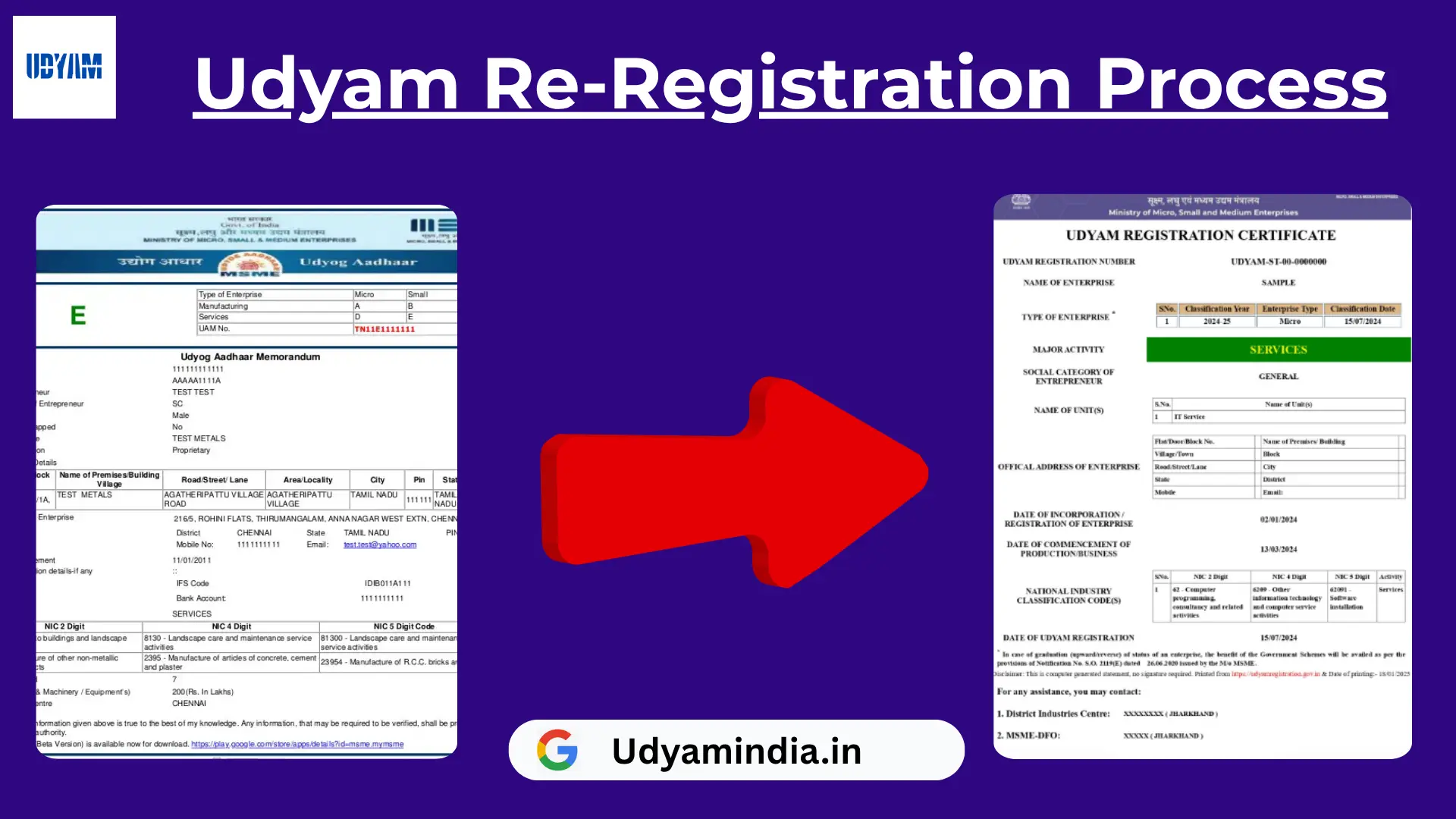
If you already had MSME Registration under Udyog Aadhaar (UAM) or the old system, you need to migrate/re-register on the Udyam Re-Registration Portal. Udyam re-registration process is a government system to register your enterprise as an MSME. It is a completely online, easy, and hassle-free process.
Step-by-Step Udyam Re-Registration Process
Open the Udyam Registration portal.
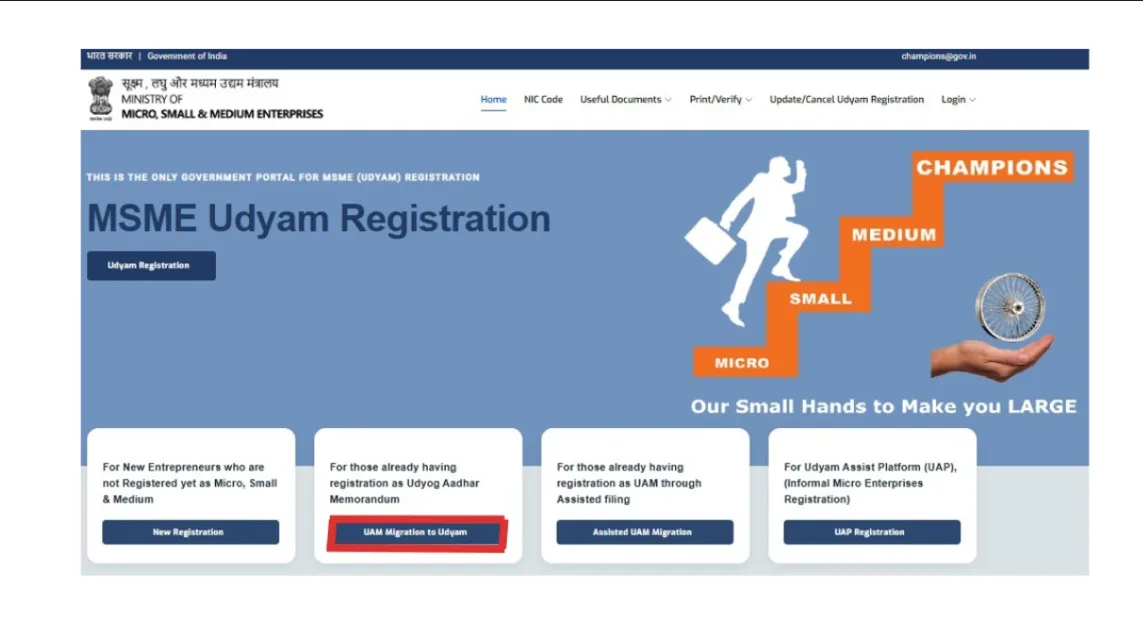
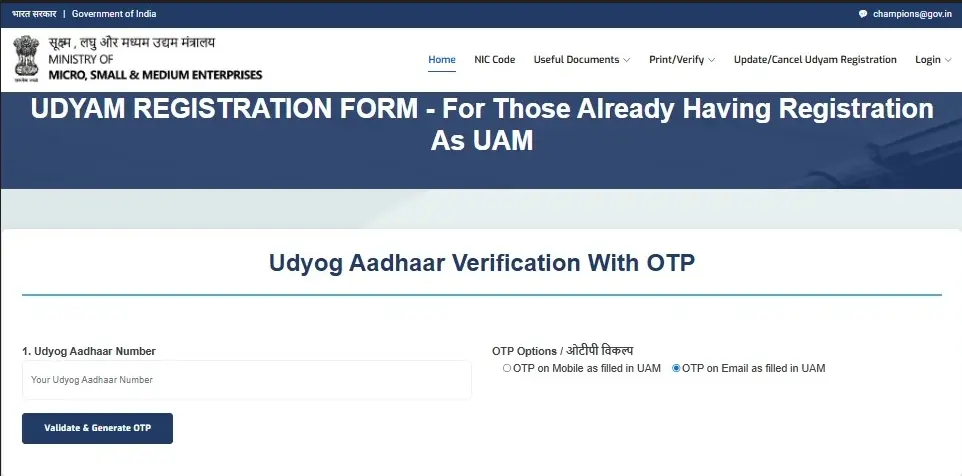
First, you need Udyog Aadhaar verification
- Enter your 12-digit UAM Number
- Choose OTP option: Mobile number or Email ID (as per UAM)
- Click the “Validate & Generate OTP” option.
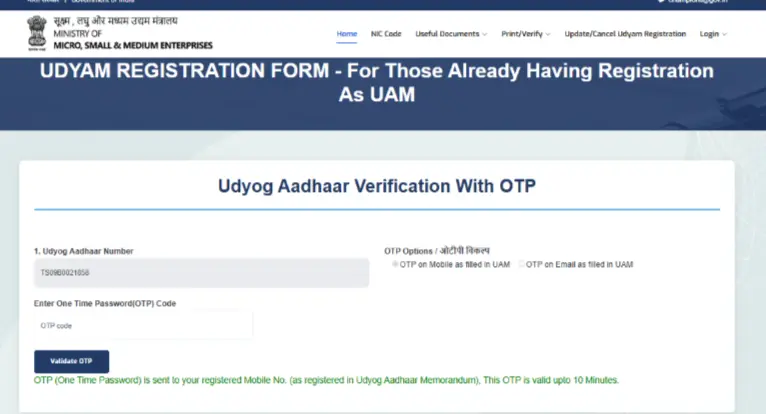
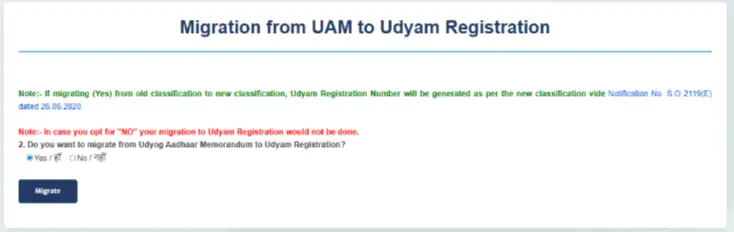
After OTP verification is successful, choose whether you want to migrate to the Udyam Registration Portal. Choose the "yes" drop-down option.
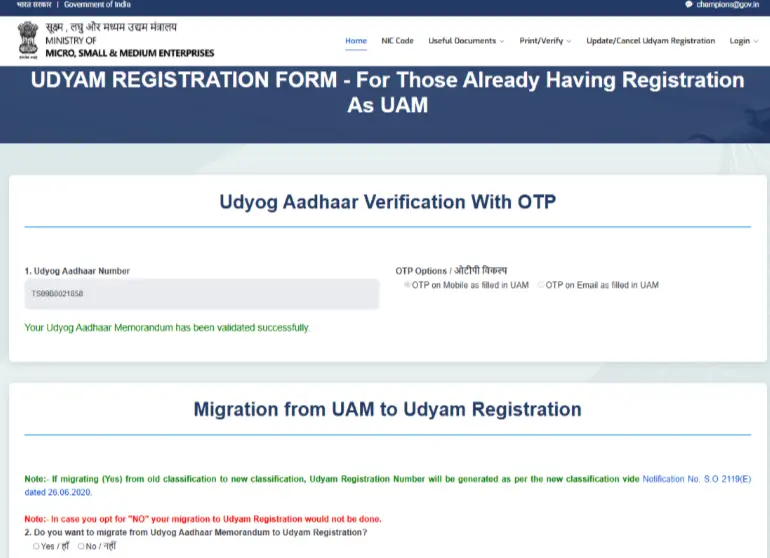
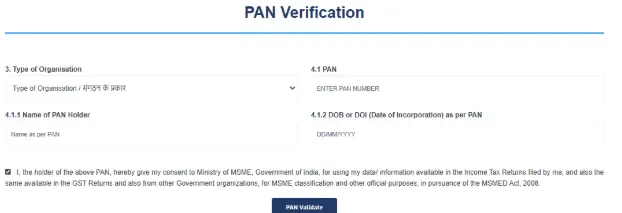
Then, need to pan verification, select “Type of organisation” (Ex, Proprietorship, Partnership),pan card number, PAN holder name, and date of incorporation as per PAN.
- Enter the details correctly and click on the “PAN Validate” button.
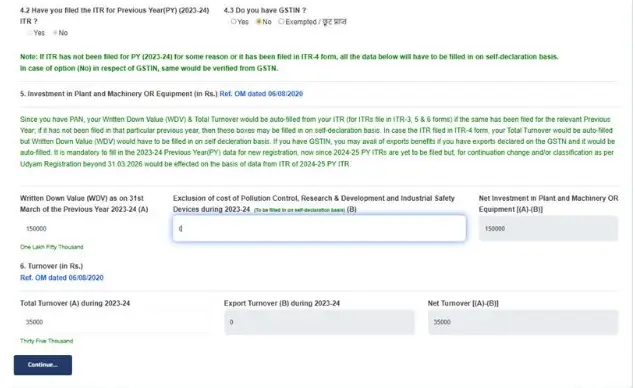
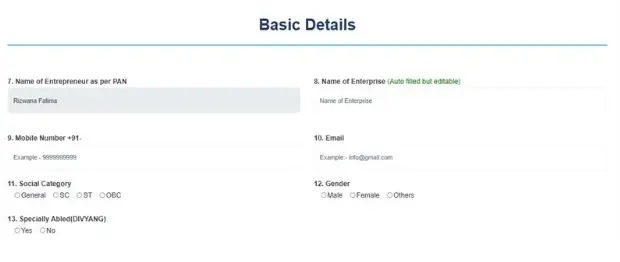
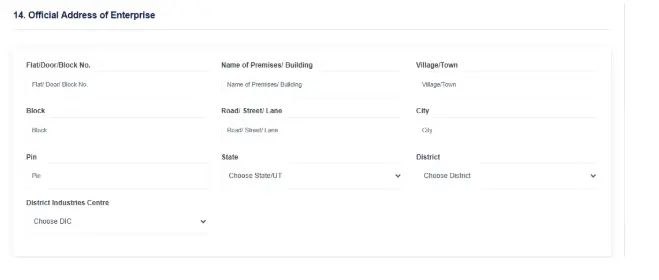
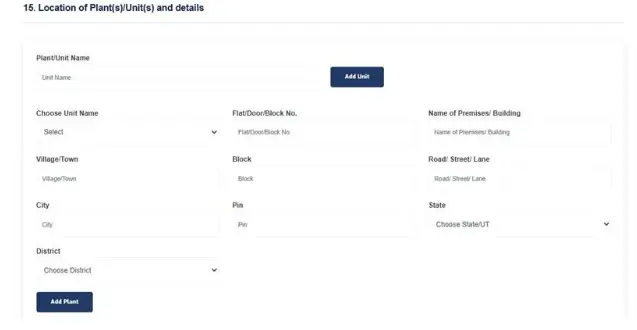
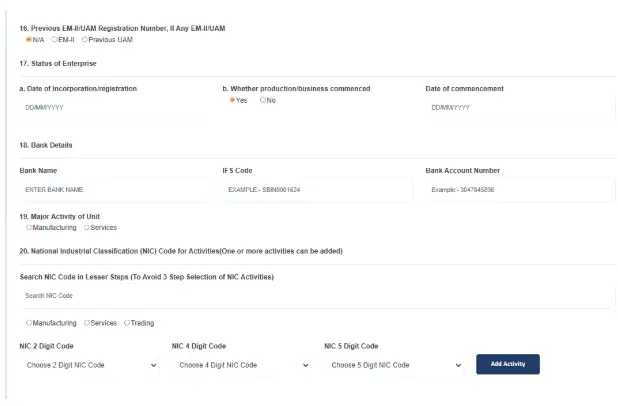
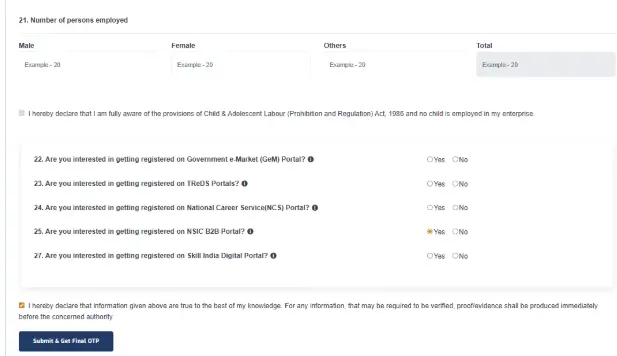
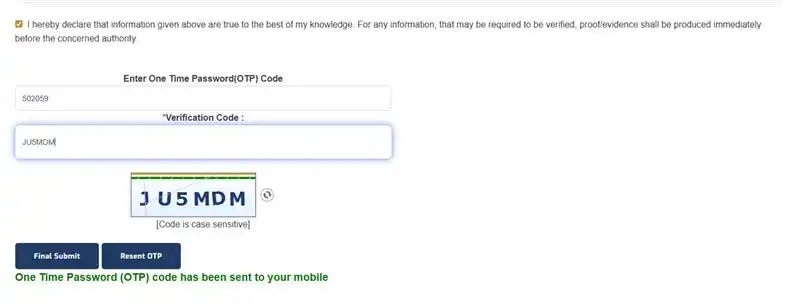
After OTP verification is successful:
- You will get a Udyam Registration Number that will appear on the screen.
Note: After get Udyam Registration Number, Download Udyam Certificate from the same Udyam Registration portal. Click this link to Download your Udyam Registration Certificate - https://udyamindia.in/articles/how-to-download-udyam-certificate.php.
Frequently Asked Questions
- You have registered on Udyog Aadhaar Registration
- You registered on MSME before July 2020
- You want to continue getting MSME benefits
If you do not re-register or migrate your old Udyog Aadhaar registration to the official Udyam Registration Portal, your business will lose MSME benefits such as government schemes, bank loans, subsidies, tenders, and more.
Yes, you renew on the Udyam portal without a GST number. If your business has a GST number, you can submit it; if you do not have a GST number, you can easily apply for the Udyam Registration Certificate.
No, you can apply for Udyam registration only once for your business. If you have not registered your MSME on the Udyam Portal,
then complete the New Udyam Registration Process. If you have an old Udyog Aadhar Memorandum Certificate, then you can migrate
it to Udyam Registration by completing the Udyam Re-Registration Process. If there are some changes in your business structure
or you want to Update the NIC Code, then you can Update your Udyam Certificate by visiting the Udyam portal.
Avoid multiple registrations, as multiple registrations can lead to cancellation or legal issues.
- You have registered on Udyog Aadhaar Registration
- You registered on MSME before July 2020
- You want to continue getting MSME benefits
Avoid multiple registrations, as multiple registrations can lead to cancellation or legal issues.