twitter logo facebook logo
-A A +A
A
A
सूक्ष्म, लघु और मध्यम उद्यम पंजीकरण
UDYAM / MSME ONLINE PORTAL - PRIVATE
india flag azad bhart Digital India G20 Meeting Swach Bhart
new blink : This website is maintained and manage by private consultancy.new blink We don't have any link with goverment department. For any query please call us at +91-9031675081.

New Udyam Registration Process – Step-by-Step Guide 2026
new-udyam-certificate-editing

If you are starting a new business or are an existing small business, getting a Udyam Registration Certificate is mandatory. The New Udyam Registration is a government process for registering your business as an MSME (Micro, Small, Medium Enterprise). It is a completely online, easy, and hassle-free process.

Steps to Apply New Udyam Registration Certificate:

1
Visit the official Udyam Registration portal.
2
Select "New Registration" for those who haven't registered with MSME. These options are for first-time users.
udyam gov Menu screen
3

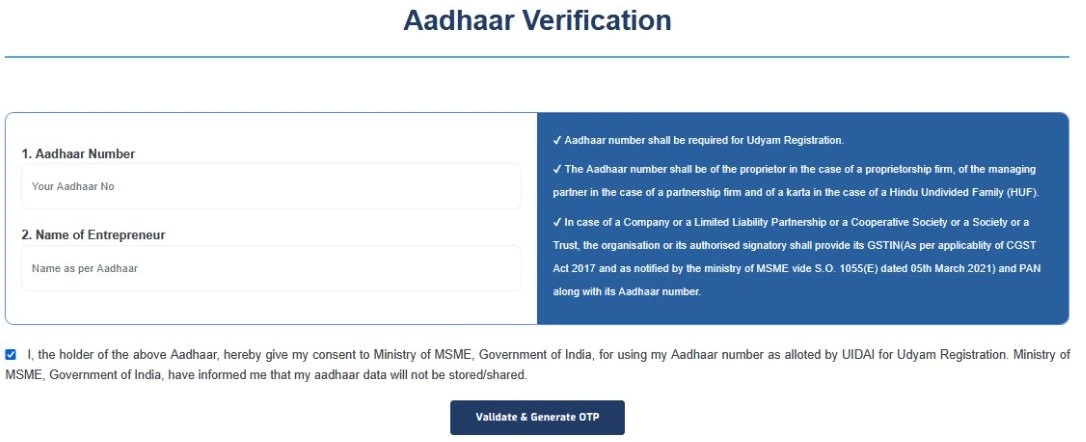
Aadhaar verification is required. Type your Aadhaar number and the name of the entrepreneur.

  • Click on the “Validate & generate otp” button. You can receive otp on your aadhhar registered mobile number.
  • Enter the OTP , so you can proceed to the next step.
udyam gov aadhaar verification screen
4
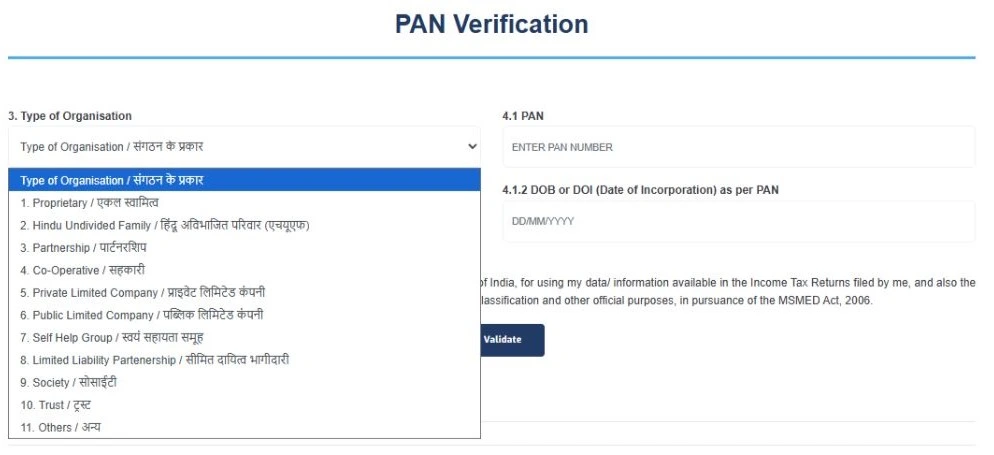
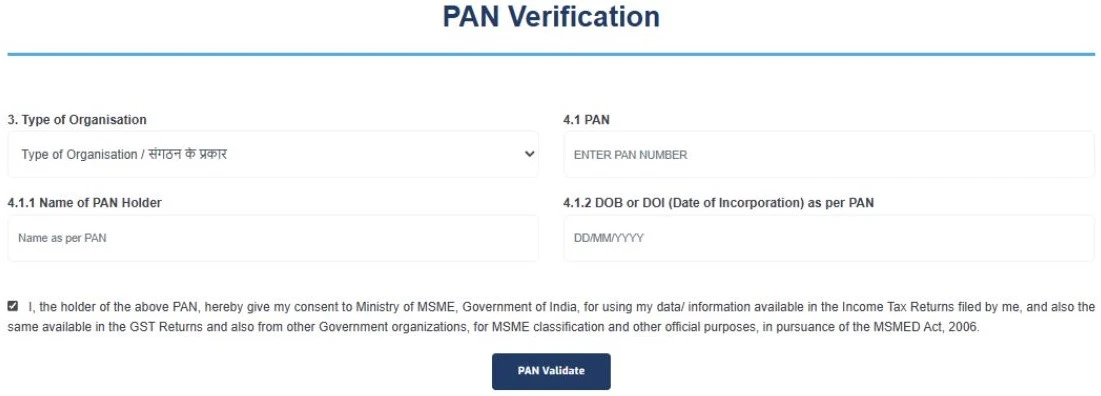
After Aadhaar verification, you need PAN verification. Select “Type of organisation” (Ex, Proprietorship, Partnership).
udyam gov pan verification screen
  • Add more details filed like ­pan card number, PAN holder name, and date of incorporation for PAN verification.
udyam gov pan verification screen
  • Enter the details correctly and click on the“pan validate” button.
udyam gov pan verification screen
5

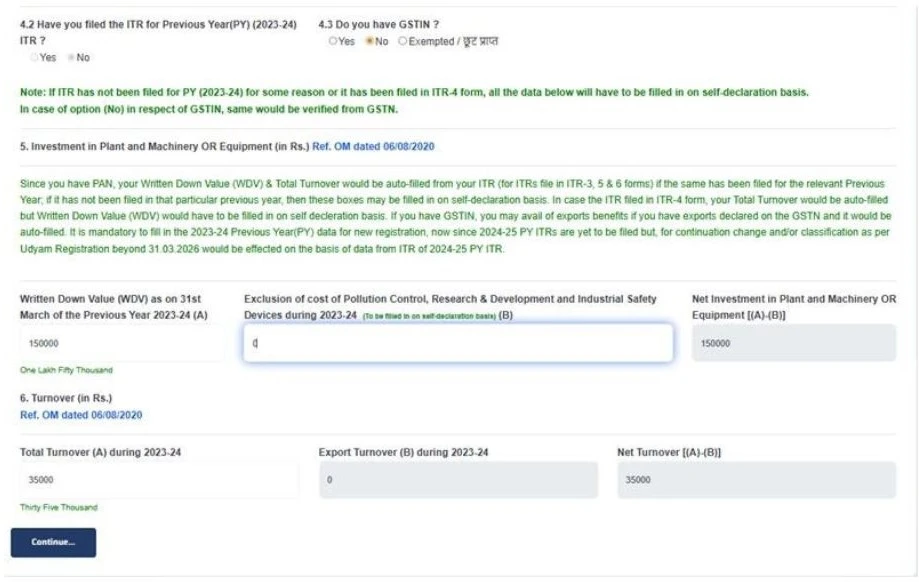
And then you submit your ITR and GST information. Either you file GST or ITR, you can tick the yes option either than tick no, and fill in investment and turnover details them click the button "continue".

udyam gov new registration form screen
6
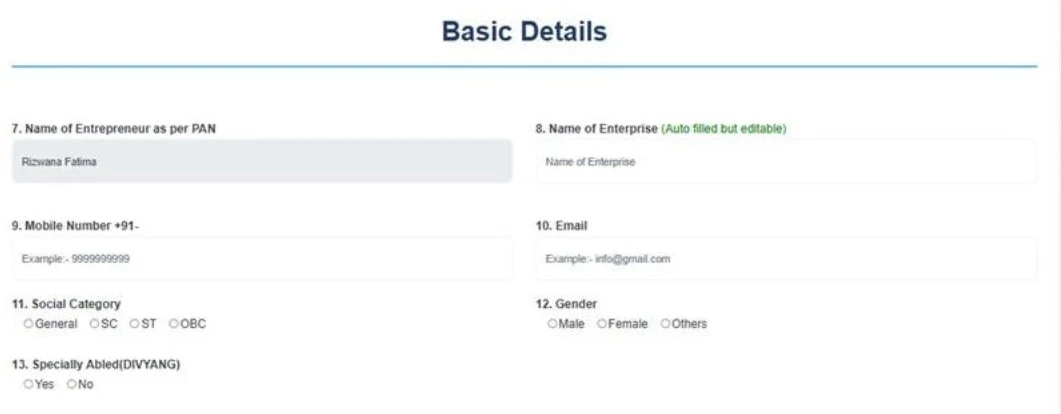
Then fill out a few more basic details (name, mobile number, enterprise name, email, etc).
udyam gov new registration form screen
7
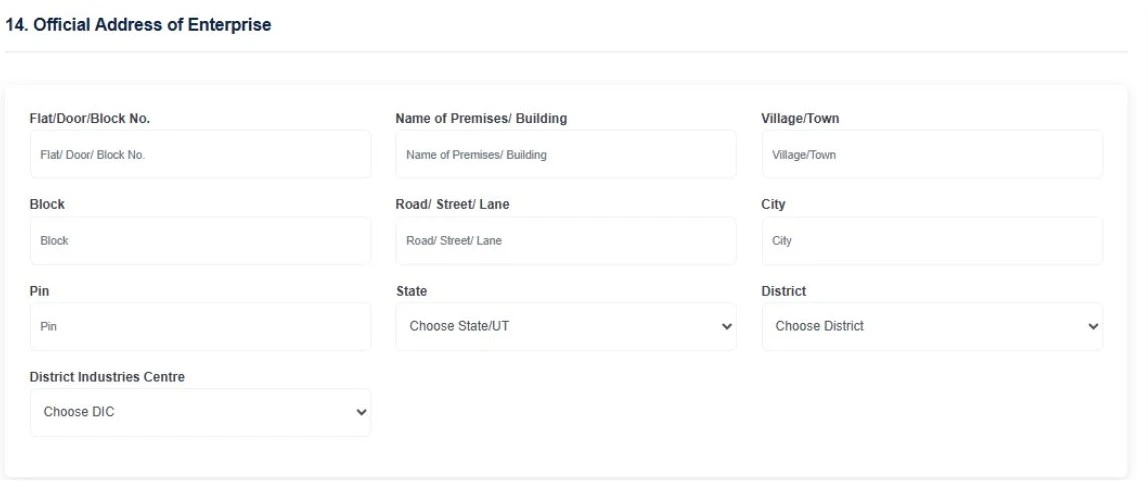
Enter your Official business address
udyam gov new registration form screen
8
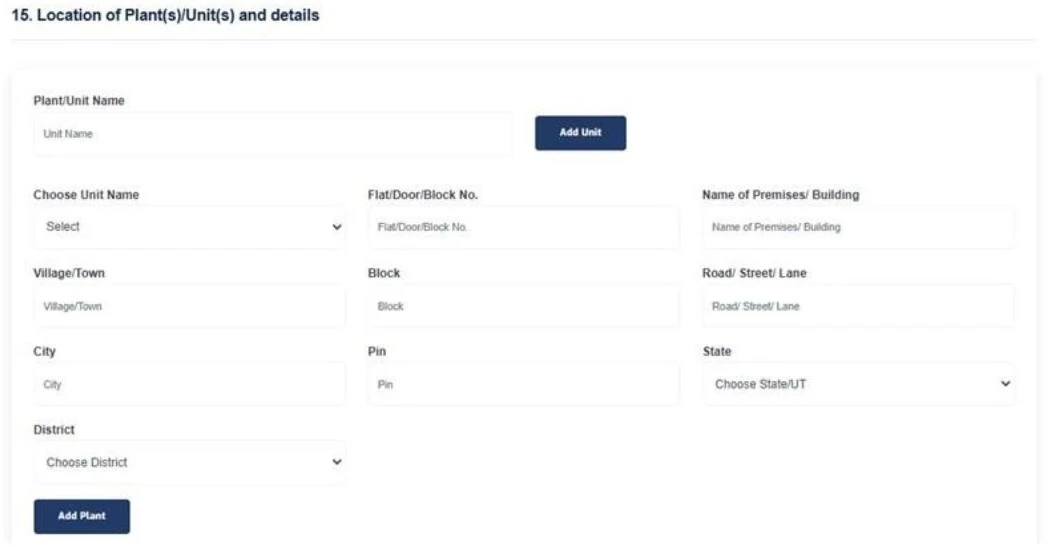
If you have the same business and unit address, then enter the unit address the same as the business address. If your business has more than one branch, click on the add unit option to add the additional information of your business.
udyam gov new registration form screen
9
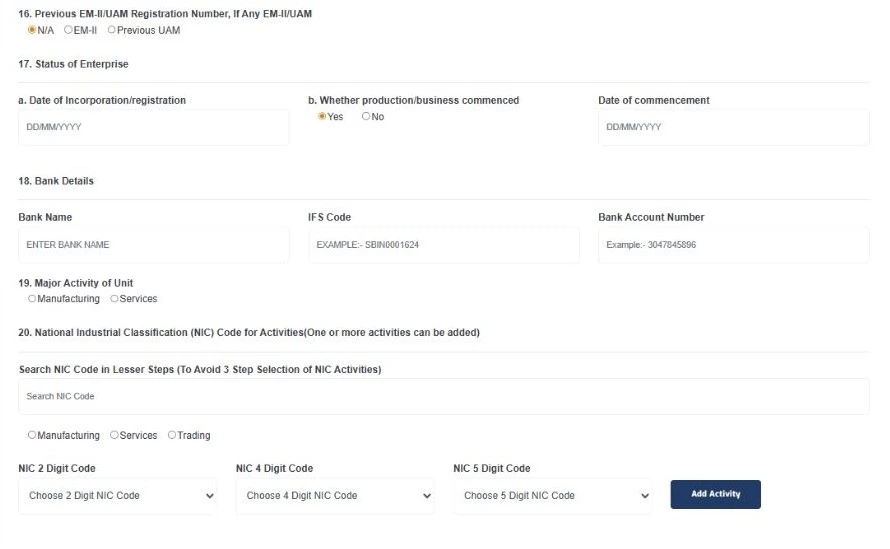
Provide enterprise status, bank details, and type of business, and choose the appropriate NIC code.
udyam gov new registration form screen
10
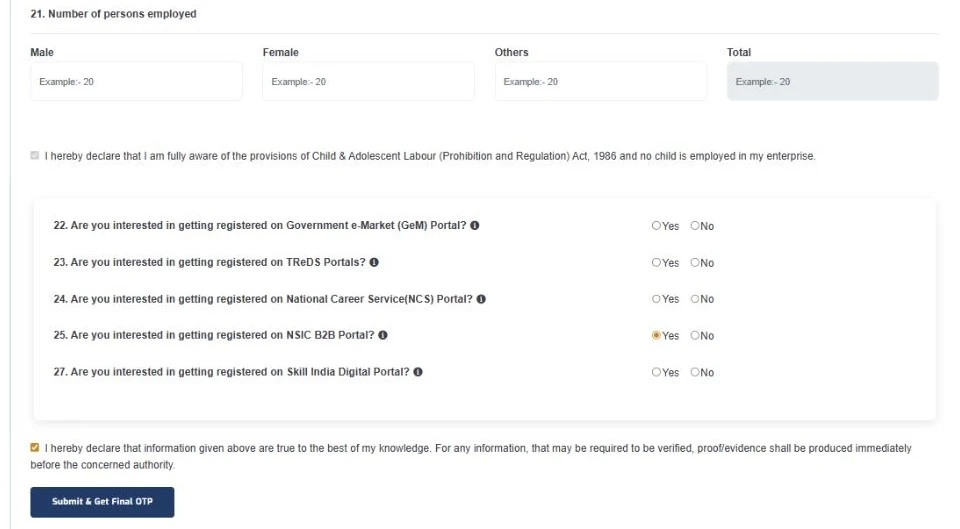
Provide details about how many employees work in your company. Put a tick in the declaration box that applies to your business. And tap on the “submit & get final otp” button.
udyam gov new registration form screen
11
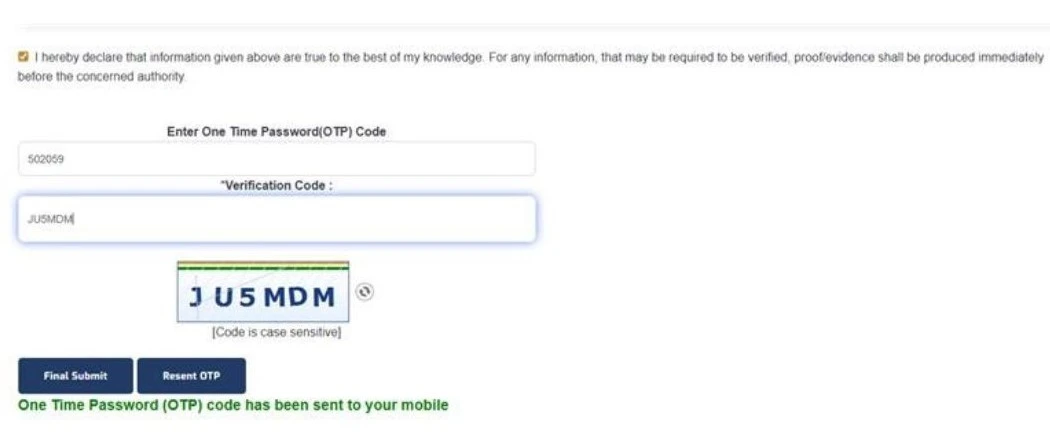
And finally, enter the otp you can receive otp on your registrar mobile number and input the verification code.
udyam gov new registration form screen
12
After successful submission:
  • You will get a Udyam Registration Number (URN)instantly.

Note: After getting the Udyam Registration Number, you can download the Udyam Registration Certificate from the same Udyam portal. Download the Udyam certificate in a quick and easy way to read this blog - https://udyamindia.in/articles/how-to-download-udyam-certificate.php.
Frequently Asked Questions

Any micro, small, or medium-sized business, like manufacturers, service providers, sole proprietors, partnership firms, LLPs, private limited companies, Hindu Undivided Families, trust can apply for the New Udyam Registration Certificate.
To Apply a New Udyam registration Certificate, you need an Aadhaar card, PAN card, bank account details, an Aadhaar-registered mobile number, email ID, business details, and address.
Yes, you can easily apply for a New Udyam Registration Certificate without GST, but if you have then you can submit.

Apply For Udyam Service - Registration, Update, Download, etc..